How We Added New VPS Servers to Our Delhi Data Center – More Capacity, Lower Latency
We added Intel Xeon Gold 6248R nodes to our Delhi-NCR region: what the chip is, why its clock speed suits the region's workloads, and how to measure it yourself.
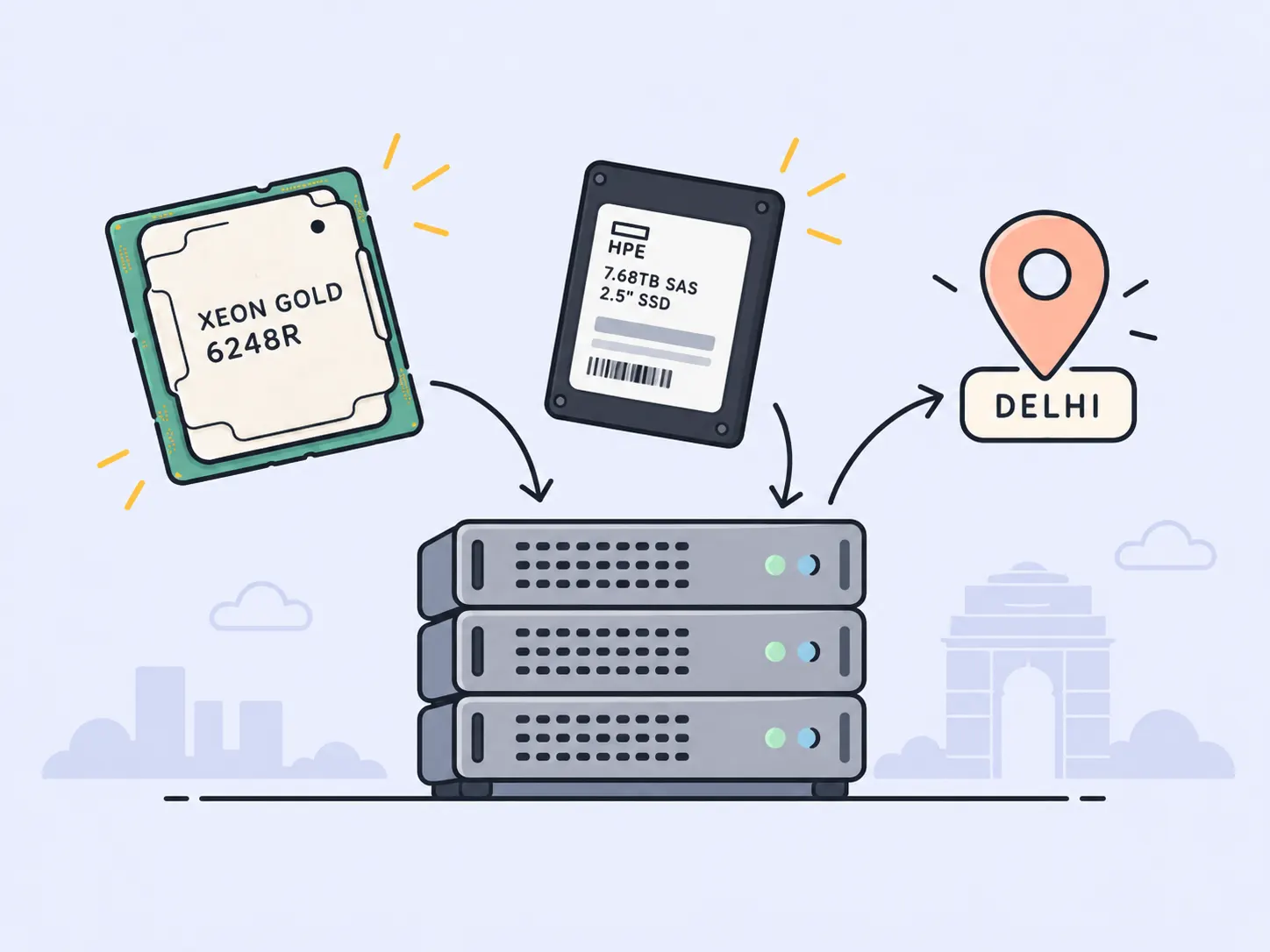
We've added new compute nodes to our Delhi-NCR region, built on Intel Xeon Gold 6248R processors. These are the physical servers that every Delhi VPS or Indian VPS servers runs on. This post covers why we expanded Delhi now, who runs workloads there, what the chip is, what it changes for VPS hosting or Cloud VPS in Delhi, what it doesn't change, what it costs, and how to check all of it yourself.
Some numbers are missing on purpose. Where a figure isn't public, we say so. We haven't filled the gaps with estimates.
What did we add to the Delhi-NCR region?
We added new Intel Xeon Gold 6248R compute nodes to our Delhi-NCR region. This adds CPU and memory capacity for new and resized VPS servers there.
Delhi-NCR is one of our two regions; the other is Frankfurt. Our fleet mixes AMD EPYC and Intel Xeon compute, so this isn't a switch away from AMD. It's more Intel capacity in the region where we needed headroom.
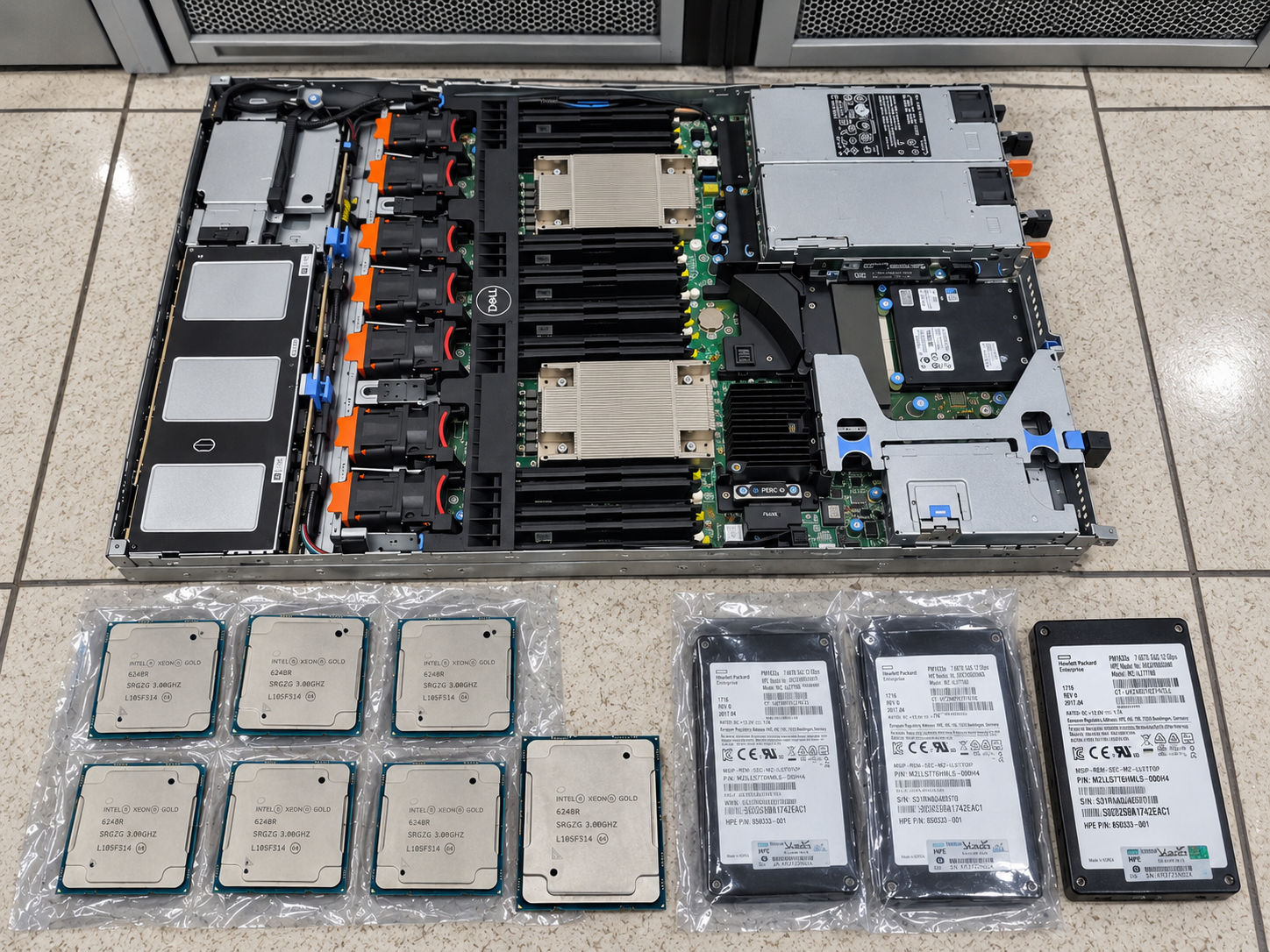
Parts for the Delhi-NCR expansion before installation. Each finished node running many customers' VPS instances.
If you're new to us, Iotamine sells shared cloud VPS in both regions. You build each instance from the parts you choose rather than picking a fixed plan, and it's billed by the hour. Each new node runs many customers' VPS instances. The VPS hosting in India page covers the Delhi offering.
Why expand VPS servers capacity in Delhi now?
We expanded Delhi-NCR because demand for VPS hosting and Cloud VPS servers in and around Delhi is growing quickly. Search data puts Delhi second among Indian states and territories for VPS searches, at roughly 7,660 a month. Searches for "VPS hosting India" are up about 51.7% year on year.
A note on method before the numbers. These figures come from keyword research data we pulled for India and for Delhi specifically. Search volumes are tool estimates, rounded and averaged over twelve months. They measure interest, not purchases. Treat them as direction and rough scale, not as precise market sizing.
How big is VPS search demand in Delhi compared with the rest of India?
Delhi generates about 7,660 VPS-related searches a month, second in India behind Maharashtra at about 10,170 a month.
The gap is smaller than the population difference would suggest. Maharashtra has Mumbai and Pune, two of India's largest tech and finance hubs. Delhi-NCR, which also takes in Gurugram and Noida, is close behind.
Search group | Approx. monthly searches | Year-on-year change |
|---|---|---|
VPS searches, Delhi | 7,660 | n/a |
VPS searches, Maharashtra | 10,170 | n/a |
"VPS hosting India" (22 variants) | 3,600 | +51.7% |
"Cheap VPS hosting India" (17 variants) | 2,400 | +52.6% |
"Buy VPS" | 1,000 | +49% |
What do the search trends say about buyers?
The trends suggest there are more VPS buyers in India, that they care a lot about price, and that more of them are ready to buy.
Three signals stand out:
Transactional searches are rising. "Buy VPS" grew about 49% year on year to roughly 1,000 searches a month. People who type "buy" have usually finished their research.
Price sensitivity is high. "Cheap VPS hosting India" grew about 52.6%. "Cheap VPS" has an over-index of 107 in Delhi. An over-index of 100 means the national average, so Delhi searches slightly more than average for cheap VPS hosting.
Windows VPS is a small but fast-growing niche. Delhi searches for Windows VPS hosting roughly tripled over six months, but from a base of under 100 searches a month. A large percentage rise on a small base doesn't make a large market. It does tell you where demand is moving.
For a price-conscious buyer, a low headline price matters less than two other things: hourly billing, and paying only for the resources you actually configure. You can test a size for a few hours and destroy it, instead of paying for a month on the wrong one. We cover the arithmetic, with real Delhi prices, later in this post.
Who is running workloads in Delhi-NCR?
Delhi VPS server or Indian Cloud VPS demand comes mainly from four groups: startups, agencies and development shops, businesses running accounting and trading software, and gamers hosting their own servers.
We estimate the pool of potential business customers in Delhi-NCR at about 15,570 organisations, across startups, agencies and development shops. That counts organisations that could plausibly buy VPS hosting, not active buyers.
Startups
Startups need infrastructure that's cheap to start on and doesn't force a migration when they grow. Our local research counted 2,507 high-tech startups in Delhi NCR. Of these, 42 launched in 2025 and about 470 are in public incubation programmes.
An early-stage team usually runs an API, a Postgres or MySQL database, a queue and a few background workers on one or two Cloud VPS. The limit is usually budget and engineering time, not raw compute.
The thing to avoid is outgrowing your region. If your first instance is in Delhi and your users are in India, you want your next, larger instance in Delhi too. More capacity in the region makes that more likely.
Agencies and development shops
Agencies host many small client sites, so they care about cost per client, isolation between clients and being able to move a client cleanly. Searches for "digital marketing agency in delhi" (about 4,400 a month) and "web development company" (about 3,600 a month) give a rough sense of the sector's size.
There are two common layouts. One instance per client gives clean isolation and simple per-client billing. Putting several clients on one larger instance is cheaper, but one client's traffic spike affects the rest.
Standalone IPs and volumes help with the first layout. On Iotamine, an IP address and a volume are resources in their own right, not parts of an instance. You can detach them and attach them to another VM. A client's public address can follow their site to a new instance, and DNS doesn't change when you resize or rebuild.
Accounting and trading users
Accounting and trading users mostly need a Windows instance that stays running and keeps its data. Searches for Tally on cloud grew about 161% year on year, the fastest-growing use case in our data. Forex and MT4 VPS searches grew about 21%.
Tally on cloud gets roughly 22,000–23,500 searches a month. The exact figure depends on which keyword variants you group together. Workload details for both are in the workloads section below.
What is the Intel Xeon Gold 6248R, exactly?
The Xeon Gold 6248R is a 24-core, 48-thread Cascade Lake server processor. It has a 3.0 GHz base clock, a 4.0 GHz maximum turbo, 35.75 MB of L3 cache and a 205 W TDP.
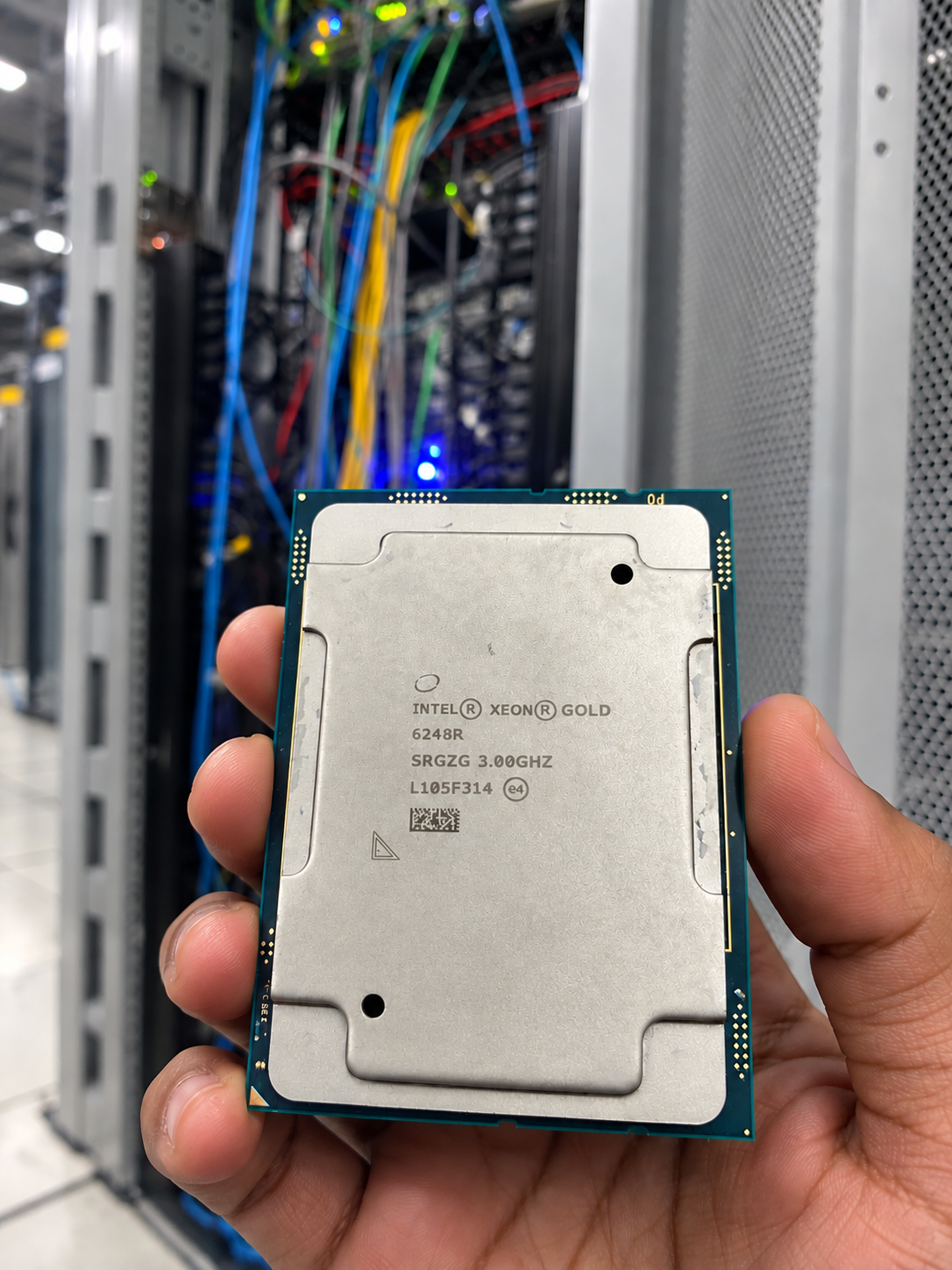
One of the Xeon Gold 6248R parts for the Delhi-NCR nodes. The marking on the heat spreader, SRGZG 3.00GHZ, is the S-spec and the 3.0 GHz base clock.
One correction first, because the wrong figure is widely repeated: the 6248R's base clock is 3.0 GHz, not 3.9 GHz. You can check this on Intel's specification page for the part. The marking on the heat spreader of the parts we installed, SRGZG 3.00GHZ, is the S-spec followed by the 3.0 GHz base clock.
Specification | Xeon Gold 6248R | Why it matters on a VPS host |
|---|---|---|
Cores / threads | 24 / 48 | More hardware threads per socket to schedule tenant vCPUs on |
Base clock | 3.0 GHz | A high floor for a 24-core part, which matters when every core is busy |
Max turbo | 4.0 GHz | A ceiling for lightly threaded bursts, not a sustained figure |
L3 cache | 35.75 MB (shared) | Shared across all tenants on that socket |
Memory | 6 channels, DDR4-2933 | About 140.8 GB/s theoretical bandwidth per socket |
Instruction set extras | AVX-512 | Useful for some compression, crypto, numeric and CPU inference code |
TDP | 205 W | Sets how long turbo can hold under load |
Process / launch | 14 nm, launched 2020 | A mature, well-understood platform, not the newest generation |
The memory bandwidth figure is simple arithmetic: 2,933 million transfers per second × 8 bytes per transfer × 6 channels ≈ 140.8 GB/s. Real-world bandwidth will be lower, and all tenants on the socket share it.
What does "4.0 GHz turbo" mean when you share a host?
On a shared host, 4.0 GHz is the best-case single-core frequency, not the frequency your vCPU will run at most of the time.
Turbo frequency depends on how many cores are active and how much power and thermal headroom the socket has. On a busy multi-tenant host, many cores are active at once. Expect frequencies between the 3.0 GHz base and the 4.0 GHz ceiling. Don't plan capacity around the ceiling.
How do vCPUs map onto these cores?
A vCPU on a VPS is a scheduled slice of a hardware thread, not a dedicated physical core.
Here's a worked example. Take a dual-socket 6248R server, used purely as an illustration. It exposes 2 × 24 cores × 2 threads = 96 hardware threads, and the hypervisor schedules every tenant vCPU on the host onto those threads.
A dual-socket compute node opened up during the build. The two heatsinks are the two CPU sockets. Every vCPU on the host is scheduled onto the hardware threads under them.
Two vCPUs scheduled onto sibling threads of the same physical core share that core's execution units. Hyper-Threading improves throughput, but nowhere near doubles it.
We don't publish per-node configurations or vCPU-to-thread ratios. What we can tell you is how to measure the effect on your own instance, which we cover below.
If your workload needs guaranteed, uncontended physical cores, a cloud VPS server with shared cores is the wrong product category. That's true here and at every other shared-VPS provider.
Why does adding compute nodes not affect your disk?
Adding compute nodes doesn't change where your data lives. Iotamine volumes sit on networked SSD storage over network, not on the compute host's local drives.
We separated them on purpose. Compute and storage are different pools, so we can add CPU and RAM capacity in Delhi without moving anyone's volumes around.
It also means your boot disk doesn't live only on a compute node's local hardware. That's what makes detachable boot volumes and detachable IPs work. The volume and the address are standalone resources you attach to an instance, not parts of one physical box. You can detach either and attach it to another of your VMs.
The flip side is that your disk I/O depends on the storage network and storage cluster, not on the new CPUs. If your bottleneck is disk latency, this expansion won't fix it. Measure before assuming otherwise.
Does a Delhi VPS actually give lower latency for Indian users?
Yes, for users in India, especially in northern India. Compared with hosting in Europe, a Delhi VPS cuts out thousands of kilometres of fibre, so the lowest possible round-trip time is much lower.
Here is the worked example. Light in optical fibre travels at roughly 200,000 km/s, or about 200 km per millisecond.
Delhi to Frankfurt is roughly 6,100 km in a straight line. One way: 6,100 ÷ 200 ≈ 30.5 ms. Round trip: at least ~61 ms, before any routing detours, queuing or processing.
A user 250 km from Delhi, for example in Jaipur or Chandigarh: 250 ÷ 200 = 1.25 ms one way, so ~2.5 ms round trip as the physical floor.
A user in Chennai, roughly 1,750 km from Delhi: 1,750 ÷ 200 ≈ 8.75 ms one way, so ~17.5 ms round trip as the floor. That's still well under the Frankfurt floor.
Real paths are longer than straight lines, and Indian last-mile networks add their own delay. Treat these figures as floors, not predictions.
We don't publish a "typical ping" figure for the region, because it depends almost entirely on your ISP and routing. If you need a low latency VPS, measure your own path with mtr; the method is below.
The new nodes don't change latency compared with our existing Delhi capacity, because they're in the same region. What changes is how much capacity is available there.
For the wider decision of which region to pick, see How to Choose a Data Center Location for VPS Hosting India. For what we run in Delhi specifically, see Iotamine VPS hosting in India.
Which workloads benefit most from the new nodes?
CPU-bound workloads that depend on per-thread speed benefit most. Workloads limited by disk, network or a remote server mostly won't notice.
Here's how that plays out for the workloads we see most often in Delhi. Because there are no fixed plans, you can size each one around its actual bottleneck, whether that's more RAM, more vCPUs or a bigger volume, without paying for the rest.
Windows VPS for Tally and RDP
Multi-user Tally over RDP is usually limited by RAM per session and per-thread CPU speed. More Delhi capacity mainly helps by letting you size instances up within the region.
Each RDP session adds its own Windows overhead on top of the application. If month-end reports slow to a crawl, check memory pressure first. When Windows starts paging to disk, the problem is RAM, not CPU. What Happens to Your Website When Your VPS Runs Out of RAM? explains how this fails. The details there are for Linux, but the principle is the same.
Since RAM is priced separately from vCPU, you can add memory for more sessions without also buying cores you won't use.
The other requirement is persistent data. Tally company data sits on the boot or data volume, which lives on networked storage, not on the compute host. Resizing or replacing the instance doesn't mean copying the data somewhere else.
Business websites and WordPress
For a typical PHP website, per-request CPU time and database latency matter more than core count. Faster single-thread performance means uncached pages are generated faster.
An uncached WordPress page runs PHP code and several database queries for each request. Each PHP-FPM worker handles one request at a time, so per-thread speed decides how fast that request finishes. Extra vCPUs let more requests run in parallel.
Before buying more CPU, add a page cache and an object cache such as Redis. A cached page served by Nginx barely touches the CPU. For an Indian audience, the hosting region often matters more than the processor, because every uncached asset pays the round-trip cost.
CRMs, ERPs and internal B2B tools
Self-hosted CRMs and ERPs are usually limited by database performance, so RAM for the database cache and disk latency matter more than new CPUs.
Odoo, ERPNext, SuiteCRM and similar tools are a web application in front of Postgres or MariaDB. Reports and list views run heavy queries. If the working set fits in RAM, queries are mostly CPU-bound and benefit from faster cores. If it doesn't, queries wait on disk, which means the networked storage path.
Size RAM so the database buffer pool holds your active data. Then run fio and the CPU tests below to see which limit you hit first.
Some Indian businesses prefer to keep data in India, or have contracts that ask them to. A Delhi-NCR instance keeps the data on hardware in India. Whether that satisfies a particular contract or regulation is a question for your own legal adviser, not for us.
AI agents and LLM-powered tools
Most AI agents on a VPS are orchestration code that calls a remote model API. They need modest CPU, enough RAM and a good network path to the API provider, not a fast processor.
A typical agent stack is Python or Node.js, a task queue, a database and perhaps a vector store. Most of the time goes on waiting for HTTP calls to a model provider. For this, the latency that matters is between the VPS and the API endpoint. Measure it with mtr from each region before you choose.
Running models locally on CPU is possible, and AVX-512 helps runtimes such as llama.cpp. Embedding and small classification models run acceptably on CPU.
For larger models, token generation is limited by memory bandwidth, because each token reads all the model weights. A 7B-parameter model quantised to 4 bits is roughly 4 GB. At 140.8 GB/s theoretical per socket, that caps you at about 35 tokens per second. That assumes you have the whole socket's bandwidth, which you won't on a shared host.
This expansion doesn't add GPUs. If you need fast inference on large models, a CPU VPS isn't the right tool.
n8n and other self-hosted automation
n8n runs on Node.js, whose main event loop is single-threaded. A single n8n process therefore benefits more from clock speed than from extra vCPUs.
Search demand for self-hosted n8n grew about 215% year on year, to roughly 5,420 searches a month. That's the fastest growth rate in our data, though from a smaller base than Tally.
To use more cores, run n8n in queue mode with separate worker processes, backed by Redis and Postgres. Then extra vCPUs translate directly into more workflows running at once. Until you need that, a small vCPU count with enough RAM is cheaper.
Forex EAs and MT4/MT5
For trading terminals, the latency that matters is between the VPS and your broker's trade server, not between the VPS and you. Delhi is only the right choice if your broker's server is near Delhi.
Many brokers host trade servers in London, New York or other financial hubs. If yours is in Europe, Frankfurt may give a shorter path than Delhi. Run mtr to your broker's server address from a test instance in each region before deciding. An Expert Advisor's own CPU use is usually small.
The main reason traders use a VPS is that it keeps running when their own computer is off. We don't publish an uptime figure in this post. If your strategy can't survive a terminal restart, build in reconnection logic and monitoring rather than assuming the host never reboots.
How much does VPS hosting in Delhi cost?
VPS hosting in Delhi-NCR is billed per resource, per hour, with no fixed plans: ₹0.50 per vCPU, ₹0.042 per GB of RAM, ₹0.0026 per GB of SSD and ₹0.1389 per IPv4 address. You choose the vCPU count, RAM and volume size separately.
You decide the shape of the instance. A RAM-heavy Tally box, a 1-vCPU n8n host and a large-disk file store each cost the sum of their parts. No plan tier forces you to buy extra of something else.
If you're after cheap VPS hosting in Delhi, that's the part that matters. A low price comes from not paying for resources you don't use and not paying for hours you don't run, rather than from a discounted bundle.
IP addresses and volumes are standalone resources. You can detach them from one VM and attach them to another, which is what makes the resize and rebuild steps below quick.
Delhi-NCR rates
These are the Delhi-NCR per-resource rates at the time of writing. The 30-day column is the hourly rate × 720, for comparison with providers that charge by the month.
Resource | Rate per hour | Equivalent over 720 hours (30 days) |
|---|---|---|
vCPU | ₹0.5000 per vCPU | ₹360.00 per vCPU |
RAM | ₹0.0420 per GB | ₹30.24 per GB |
SSD storage | ₹0.0026 per GB | ₹1.872 per GB |
IPv4 address | ₹0.1389 per address | ₹100.01 per address |
Bandwidth | ₹0.8333 per TB; first 5 TB free | ₹600.00 per TB beyond the free 5 TB |
Current rates, including Frankfurt's and any tax treatment, are on the pricing page. If this table and that page ever disagree, the pricing page is correct.
Worked example: a small Delhi instance
A 2 vCPU, 4 GB RAM, 50 GB SSD instance with one IPv4 address costs about ₹1.44 an hour in Delhi-NCR.
vCPU: 2 × ₹0.5000 = ₹1.0000
RAM: 4 × ₹0.0420 = ₹0.1680
SSD: 50 × ₹0.0026 = ₹0.1300
IPv4: 1 × ₹0.1389 = ₹0.1389
Total: ₹1.4369 per hour, or about ₹1,034.57 over 720 hours, with bandwidth inside the free 5 TB.
If the same workload needs 8 GB of RAM instead, only the RAM line changes: +4 × ₹0.042 = ₹0.168 an hour. You don't pay for vCPUs you didn't ask for.
How do you grow an instance without leaving Delhi?
You can resize within the region, or attach your existing boot volume and IP to a larger instance. Your data and address stay the same, and nothing is copied between regions.
Volumes live on networked storage, so a larger instance in Delhi can mount the same boot volume. IPs are standalone, so the public address moves with it. A migration that could take days becomes four steps: stop, detach, attach and start.
That isn't zero downtime. A volume can only be attached to one instance at a time, so the service is down while you move it. Plan the window, and test the steps on a throwaway instance first. If you can't accept any interruption, put two instances behind a load balancer.
This is why regional capacity matters. A resize only works if the region has room for the larger size. Adding nodes in Delhi is how we keep that room available.
How can you verify the new hardware and performance yourself?
Deploy a Delhi instance, run lscpu to see the CPU model, then run a short CPU, disk and network benchmark. With hourly billing, a full test on a small instance costs a few rupees.
Check which CPU you landed on
Run lscpu on Linux, or Get-CimInstance in PowerShell on Windows. Both report the CPU model the hypervisor exposes to your instance.
Linux:
lscpu | grep -E 'Model name|^CPU\(s\)|Thread|MHz'
Windows PowerShell:
Get-CimInstance Win32_Processor | Select-Object Name, NumberOfLogicalProcessors, MaxClockSpeed
Clock speeds reported inside a VM are often nominal values rather than live frequencies, so don't read too much into them.
Measure CPU throughput and contention
Use sysbench for single-thread and all-thread throughput, and the st column in vmstat for contention.
sysbench cpu --threads=1 --time=60 run
sysbench cpu --threads=$(nproc) --time=60 run
vmstat 5 12   # watch the 'st' column
The single-thread run gives a rough measure of per-core speed. The all-threads run shows whether throughput scales with your vCPU count.
The st (steal) column in vmstat shows the percentage of time your vCPUs were ready to run but the hypervisor was running something else. Some steal is normal on any shared host. If steal stays high under your normal load, raise it with support and include the numbers.
Measure disk and network separately
Use fio for disk and mtr for network, and treat them as separate results from the CPU test.
fio --name=randread --rw=randread --bs=4k --iodepth=32 \
    --size=2G --runtime=60 --time_based --direct=1 --ioengine=libaio
mtr -rwc 100 your.target.host
Remember that fio measures the networked storage path, not the new CPUs. Run mtr from the VPS to your users, your broker or your API provider. Then run it from your office to the VPS, because routes are often different in each direction.
What does a benchmark session cost?
A benchmark costs the instance's hourly rate multiplied by the hours it exists. Testing two Delhi sizes for three hours each costs about ₹12.
Here's the worked example, using the Delhi rates above. The tests take about 30 minutes, but allow three hours per instance so you can compare properly.
2 vCPU, 4 GB RAM, 50 GB SSD, 1 IPv4: ₹1.4369 per hour × 3 = ₹4.31
4 vCPU, 8 GB RAM, 50 GB SSD, 1 IPv4: (₹2.00 + ₹0.336 + ₹0.13 + ₹0.1389) = ₹2.6049 per hour × 3 = ₹7.81
Total: about ₹12.13, before any applicable taxes.
Volumes and IPs are standalone resources, so destroying the instance isn't the whole clean-up. If you don't plan to keep the test volumes and IPs, delete the volumes and release the IPs too.
That's cheaper than committing to a month on the wrong size or in the wrong region. If price matters to you, testing first is the cheapest way to avoid overpaying. Plug your own shape into the pricing page to get the exact figure.
What numbers are we not publishing, and why?
We don't publish node counts, the percentage capacity increase, per-node RAM or vCPU totals, or overcommit ratios for the Delhi-NCR region.
These numbers change as we rebalance and add hardware. On their own, they also say little about how your instance will perform. A large region running hot can perform worse than a small one with headroom.
The figures that matter to you are the ones you can measure on your own instance: single-thread throughput, steal time, disk latency and round-trip time to your users. You now have the commands for all four, and the prices to work out what a test costs.
If you're comparing us with other providers, run the same tests on each. Compare VPS Hosting India Providers 2026 walks through a method that doesn't rely on anyone's marketing page, including ours.
How do you buy a VPS in Delhi and test it?
To buy a VPS in Delhi, deploy a small Delhi-NCR instance from the Delhi VPS page, run the four measurements above, and compare the results with what you run today.
Choose the vCPU count, RAM and volume size your workload actually needs. Check the hourly cost on the pricing page before you deploy.
If you're an existing Delhi customer and want to know which hardware your instance is on, lscpu will tell you. If you want to move a workload onto more capacity in the region, contact support with your current instance details and we'll tell you what's possible for your setup.
If your bottleneck turns out to be RAM, disk or the distance to a remote server rather than CPU, new processors won't fix it. It's better to find that out in a three-hour test than after a migration.
FAQ
What CPU do the new Iotamine Delhi-NCR nodes use?
Intel Xeon Gold 6248R: 24 cores, 48 threads, 3.0 GHz base, 4.0 GHz max turbo, 35.75 MB L3 cache, 205 W TDP. It is a Cascade Lake part launched in 2020.
Is the Xeon Gold 6248R base clock 3.9 GHz?
No. Intel specifies a 3.0 GHz base clock and a 4.0 GHz maximum turbo frequency for the 6248R.
Are the new Delhi nodes dedicated or bare-metal servers?
No. They are shared, multi-tenant VPS hosts. Your instance shares physical hardware with other customers' instances.
Do the new compute nodes make disk I/O faster?
Not directly. Iotamine volumes live on SSD storage over sharded iSCSI, separate from compute nodes, so disk performance depends on the storage path rather than the new CPUs.
How can I check which CPU my VPS is running on?
On Linux run lscpu and look at the Model name line. On Windows run Get-CimInstance Win32_Processor in PowerShell.
How many nodes did Iotamine add in Delhi-NCR?
We don't publish node counts, capacity percentages or overcommit ratios. We recommend measuring single-thread speed, steal time, disk latency and round-trip time on your own instance instead.