How to Build a Self-Hosted Tech Stack on a Cloud VPS Hosting
One small server, a few free apps and one bill: what it costs in rupees, how to set it up, and the mistakes to skip.

TL;DR: Build Your Own Tech Stack on a Cloud VPS Hosting in India – What Do You Need and What Does It Cost?
How do you build a self-hosted tech stack on a cloud VPS Hosting without overspending? Start with one cloud VPS server that has 4 to 6 GB/ of RAM. Put each app in its own Docker container, let one reverse proxy (Caddy) handle HTTPS, back up your data off the server, and pay by the hour so you can test cheaply. On Iotamine's example builds, a small stack costs about ₹1,000 to ₹2,100 a month before GST.
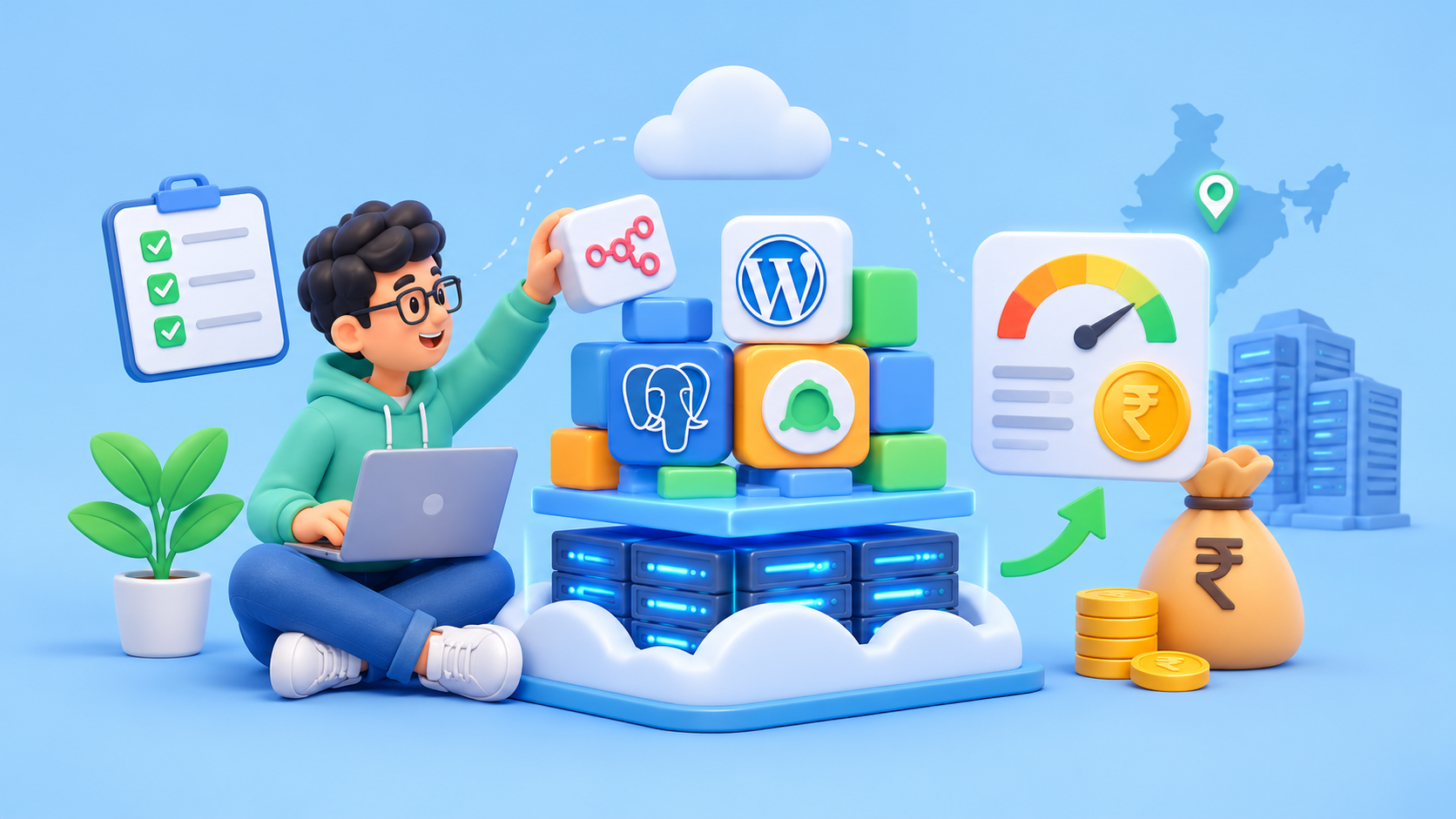
Imagine paying for five online AI tools and then finding out that two of them do almost the same job. Your own VPS server can replace a few of those. You keep the data, and you pay for only one VPS machine instead of five different subscriptions.
The catch is that nobody tells you how big the VPS machine should be, what to put on it first, or what it will cost in rupees. So this guide builds the whole thing, one piece at a time, and keeps the bill small.
⚡ Quick Summary: TL;DR
A small stack is a gatekeeper (Caddy), a storeroom (Postgres), your apps (for example, n8n), and a watchman (Uptime Kuma).
One 4 GB server runs all of that. A 2 GB server runs the tiny version.
Only the gatekeeper should be open to the internet. Keep every other port private.
Back up the database and the secret keys, and keep one copy off the server.
What Goes Into a Small Self-Hosted Stack?
Are you probably confused about a small self-hosted stack? A small stack has four jobs: a gatekeeper that handles HTTPS, a storeroom for data, the apps you actually want, and a watchman that tells you when something breaks.
Think of a society building. The gate checks visitors. The storeroom keeps the records. The flats are the self-hosted apps. The watchman calls you if the lights go out or if there is any other issue in the building.
Job | Tool you can use | What it does | How hungry |
|---|---|---|---|
Gatekeeper | Caddy | Gets HTTPS certificates by itself and sends visitors to the right app | Very small |
Storeroom | Postgres | Keeps n8n's data safely | Small, grows with data |
App | n8n | Runs your automatic jobs | 2 GB is the stated minimum; 4 to 8 GB is comfortable |
App (optional) | Vaultwarden, Nextcloud | Passwords, private file storage | Vaultwarden is small. Nextcloud wants 2 GB or more and lots of disk |
Watchman | Uptime Kuma | Pings your sites and warns you | Small |
How Do You Build It, Step by Step?
Make the VPS server safe first, then install Docker, then write one Compose file for the whole stack. Only Caddy opens ports 80 and 443. Everything else stays inside Docker.
You need a VPS server running Ubuntu, a domain name, and two subdomains such as n8n.example.com and status.example.com. Point both subdomains at the server's IP with an A record.
Step 1. Log in and create a normal user.
ssh root@YOUR_SERVER_IP
adduser deploy
usermod -aG sudo deploy
Copy your SSH key to that user, test that you can log in as deploy, and then turn off password logins in /etc/ssh/sshd_config (PasswordAuthentication no, PermitRootLogin no). Restart SSH. Keep your old window open until the new login works.
Step 2. Update and switch on the firewall.
sudo apt update && sudo apt upgrade -y
sudo ufw allow OpenSSH
sudo ufw allow 80/tcp
sudo ufw allow 443/tcp
sudo ufw enable
One trap. Docker can open ports behind the firewall's back when you publish them. So in the Compose file below, only Caddy publishes ports. Never publish the database port.
Step 3. Install Docker. The quick way is Docker's own script. For a serious setup, follow the apt method in Docker's docs instead.
curl -fsSL https://get.docker.com | sudo sh
sudo usermod -aG docker deploy
Log out and log in again, then check docker compose version.
Step 4. Make a folder and write the files.
sudo mkdir -p /opt/stack && sudo chown deploy:deploy /opt/stack
cd /opt/stack
Create .env. Make the secrets with openssl rand -hex 24:
POSTGRES_USER=n8n
POSTGRES_PASSWORD=put-a-long-random-password-here
POSTGRES_DB=n8n
N8N_DOMAIN=n8n.example.com
KUMA_DOMAIN=status.example.com
N8N_ENCRYPTION_KEY=put-another-long-random-string-here
Then run chmod 600 .env. Create Caddyfile:
{$N8N_DOMAIN} {
    reverse_proxy n8n:5678
}

{$KUMA_DOMAIN} {
    reverse_proxy uptime-kuma:3001
}
Create docker-compose.yml:
services:
  caddy:
    image: caddy:2
    restart: unless-stopped
    ports:
      - "80:80"
      - "443:443"
    environment:
      N8N_DOMAIN: ${N8N_DOMAIN}
      KUMA_DOMAIN: ${KUMA_DOMAIN}
    volumes:
      - ./Caddyfile:/etc/caddy/Caddyfile
      - caddy_data:/data
      - caddy_config:/config

  postgres:
    image: postgres:16
    restart: unless-stopped
    environment:
      POSTGRES_USER: ${POSTGRES_USER}
      POSTGRES_PASSWORD: ${POSTGRES_PASSWORD}
      POSTGRES_DB: ${POSTGRES_DB}
    volumes:
      - postgres_data:/var/lib/postgresql/data

  n8n:
    image: docker.n8n.io/n8nio/n8n
    restart: unless-stopped
    depends_on:
      - postgres
    environment:
      DB_TYPE: postgresdb
      DB_POSTGRESDB_HOST: postgres
      DB_POSTGRESDB_DATABASE: ${POSTGRES_DB}
      DB_POSTGRESDB_USER: ${POSTGRES_USER}
      DB_POSTGRESDB_PASSWORD: ${POSTGRES_PASSWORD}
      N8N_HOST: ${N8N_DOMAIN}
      N8N_PROTOCOL: https
      WEBHOOK_URL: https://${N8N_DOMAIN}/
      N8N_ENCRYPTION_KEY: ${N8N_ENCRYPTION_KEY}
      GENERIC_TIMEZONE: Asia/Kolkata
      EXECUTIONS_DATA_PRUNE: "true"
      EXECUTIONS_DATA_MAX_AGE: "168"
    volumes:
      - n8n_data:/home/node/.n8n

  uptime-kuma:
    image: louislam/uptime-kuma:1
    restart: unless-stopped
    volumes:
      - kuma_data:/app/data

volumes:
  postgres_data:
  n8n_data:
  caddy_data:
  caddy_config:
  kuma_data:
Notice that n8n, Postgres, and Uptime Kuma have no ports; only Caddy can be reached from outside.
Step 5. Start it.
docker compose up -d
docker compose logs -f
Once DNS points to your server, Caddy fetches the HTTPS certificates by itself. Open your n8n address, create the owner account, and set up a monitor in Uptime Kuma for the n8n address.
Step 6. Add more later. To add Vaultwarden or Nextcloud, add a service to the Compose file and a few lines to the Caddyfile. Don't publish its port. Check docker stats first to see if you still have room.
Step 7. Back up. This step matters more than the other six.
mkdir -p /opt/backups
crontab -e
Add this line, which saves the database every night at 2 am and deletes copies older than two weeks:
0 2 * * * cd /opt/stack && docker compose exec -T postgres pg_dump -U n8n n8n | gzip > /opt/backups/n8n-$(date +\%F).sql.gz && find /opt/backups -mtime +14 -deleteThen copy two things somewhere that is not this server: the backup files and your .env file. The N8N_ENCRYPTION_KEY in it is how n8n unlocks the passwords it stores. If you lose it, you lose them. A server snapshot is a good extra, and it is billed per GB each month, so don't keep dozens.
Last, try a restore once on a spare server. A backup you have never restored is only a hope.
How Do You Keep the Bill Low on Your Cloud VPS Hosting?
Right-size from real numbers, use hourly billing to test, delete servers you don't need, and stop logs and old run history from eating your disk.
Start from docker stats, not from fear. Run your stack for a few days. If memory stays far below the limit, you can use a smaller server.
Test for a few rupees. On hourly billing, a 3-hour trial of the ₹1,015 size costs about ₹4.23. Build the whole stack, break it, delete it. To check CPU steal and disk speed on the trial server, use the five-test kit in our cheap VPS guide.
Delete, don't just stop. A stopped server can still bill. If you want to keep your data, keep only the disk. A 40 GB disk on that rate card is about ₹75 a month.
Disk is the quiet cost. At about ₹1.87 per GB each month, 500 GB is roughly ₹936. Keep n8n's pruning on, as in the file above.
Limit Docker logs. In /etc/docker/daemon.json, set "log-opts": {"max-size": "10m", "max-file": "3"} with "log-driver": "json-file", then restart Docker.
Skip paid extras you don't need, such as a control panel. This stack doesn't need one.
Pin versions. Once it works, replace latest style image names with fixed version tags and update on purpose, with docker compose pull && docker compose up -d.
What Should an Indian Buyer Check In VPS Hosting India?
Before taking any action on a self-hosted tech stack on a Cloud VPS Hosting, check the region, whether you can pay in rupees with a GST bill, whether your IP stays the same, and how backups work.
Region. A server in India is closer to your users and to the Indian services your flows call.
Rupees and GST. If the stack runs business work, you want a proper tax invoice. If you are GST-registered, you can claim the tax back. Dollar bills add card fees.
A fixed IP. Some services only accept calls from a known IP. If your server is rebuilt and the IP changes, your flows can start failing. On Iotamine, the IP is a separate item you can keep and attach to a new server, and other providers have their own way.
Your data. If you keep other people's personal data in Nextcloud or n8n, you are the one responsible for it.
For app-by-app sizes (n8n, Docker, Nextcloud and AI bots), read our self-hosted apps guide. For renewal prices and other fees to watch on any provider, see the real-cost guide. You can check current prices on the pricing page.
Ready to Test This Stack on a VPS That Doesn’t Lock You Into a Plan?
Iotamine runs live regions in New Delhi (11 ms latency) and Frankfurt, with fully configurable vCPU, RAM and storage. There are no fixed tiers and no annual contract. Boot volumes and IP addresses are detachable resources you can move between servers, and we bill hourly from the moment your VM boots.
That suits the stack in this guide. Spin up the 2 vCPU, 4 GB size, run the Compose file above, watch docker stats, and delete the server when you are done. A 3-hour test of that size costs about ₹4.23 before GST.
Start with $10 in free credit. No credit card required; cancel anytime.
Deploy a VM → · See live pricing →
If you plan to run n8n, private files on Nextcloud, or custom AI bots on your own VPS, read our guide on the best cloud VPS in India for self-hosted apps.
Final Words: Start Small and Grow Your Self-Hosted Stack
To build a Self-Hosted Tech Stack on a Cloud VPS Hosting, start with one 4 GB server, one Docker Compose file, and one Caddy reverse proxy that handles HTTPS. Keep the database port private, back up the database and your .env file somewhere off the server, and restore a backup once to prove it works.
On Iotamine's example builds, the n8n and Postgres stack (2 vCPU, 4 GB) costs about ₹1,015 a month before GST, and the tiny version (1 vCPU, 2 GB) costs about ₹548. Add the next app, such as Vaultwarden or Nextcloud, only when docker stats show there is room. A stack that grows slowly stays cheap, and it is easier to fix when something breaks.
Ready to try it? Build the 2 vCPU, 4 GB size by the hour on the VPS hosting in India, follow the steps above, and delete the server when you are done. You can check current rates on the cloud VPS pricing .
FAQ
What is the smallest server for self-hosted n8n?
n8n's stated minimum is 1 vCPU and 2 GB of RAM, but 4 GB is a more comfortable size once you add Postgres and a few apps. Use Postgres for real work.
Can I run everything on one Cloud VPS Hosting?
Yes, for a small stack. Add up each app's RAM, keep 20 to 30% free, and give Nextcloud enough disk for your files. A 4 GB server fits the automation stack in this guide.
Do I need a domain name?
Yes, for automatic HTTPS. Point a subdomain at your server's IP with an A record, and Caddy will fetch and renew the certificate by itself.
How do I update my apps?
Run docker compose pull and then docker compose up -d in the stack folder. Your data lives in volumes, so it stays. Back up first, and read the release notes.
Is self-hosting cheaper than paying for the apps?
It can be, but it depends. You pay for the server, and you spend your own time on updates, backups and fixes. Count that time before you decide.