OpenClaw VPS: How It Works and Why You Need a VPS for OpenClaw
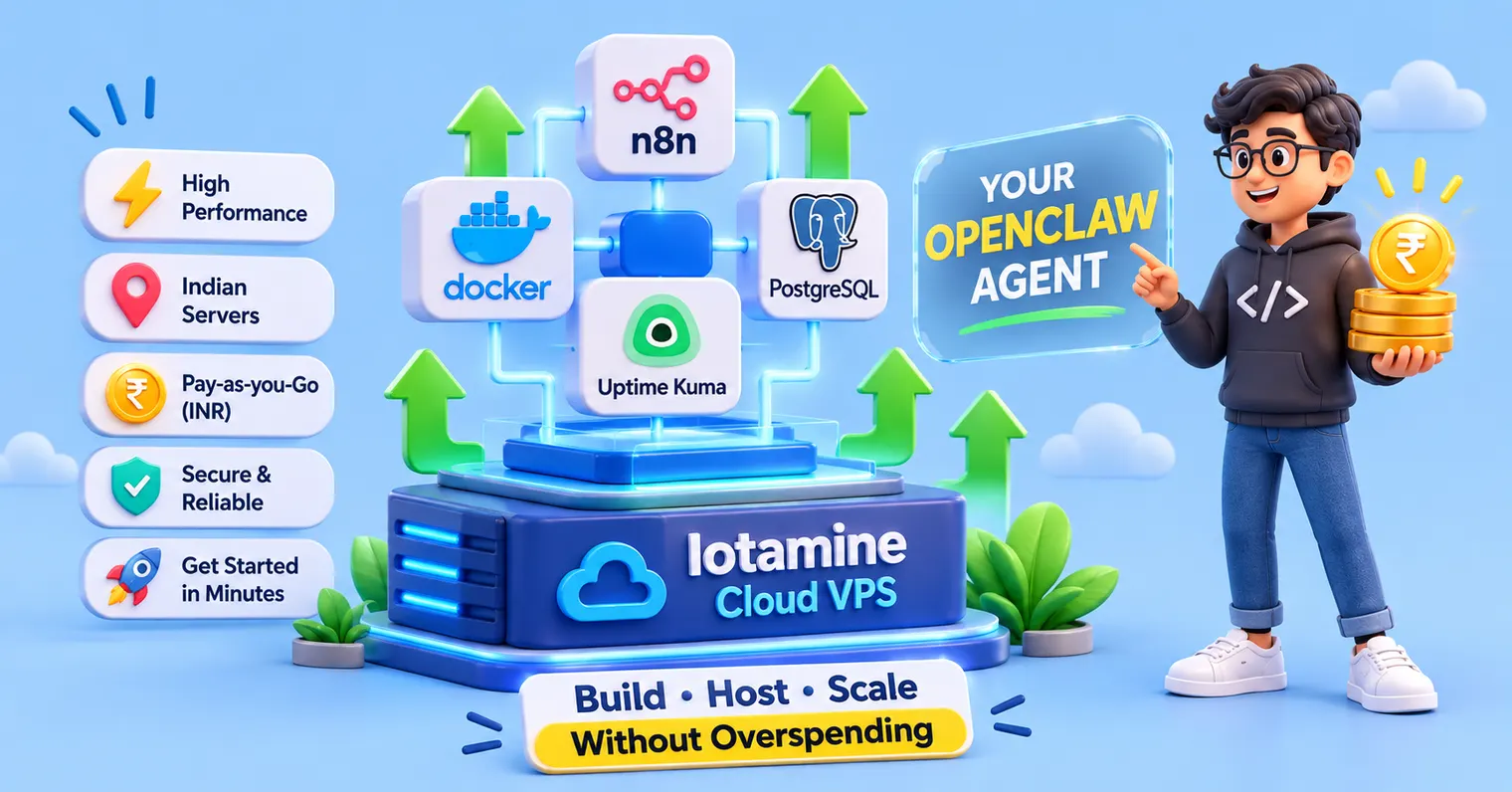
What is a VPS for OpenClaw, and do you really need one? → A VPS is a type of computer you rent online that stays on 24 hours a day. OpenClaw is an open-source AI assistant that you run yourself and chat with on WhatsApp or Telegram. Here's how it works: you send a message, OpenClaw uses an AI model and its tools to act on it, and the VPS hosting helps OpenClaw keep it running all day and night. You can try OpenClaw on your own laptop or PC, but to keep it answering around the clock, you need OpenClaw VPS hosting. Plan for at least 2 GB of RAM (4 GB is comfortable) and a bill of about ₹548 a month on Iotamine, before GST.
⚡ Quick Summary:
An agent isn't a chatbot: a chatbot only answers. An OpenClaw agent can read files, run commands, browse the web, and remember what you told it last week.
A VPS for OpenClaw keeps it awake: close your laptop and a local agent goes silent. A rented server stays on and keeps the agent away from your personal files.
The requirements are small: 1 vCPU and 1 GB of RAM is the documented floor, but 2 GB is the real minimum and 4 GB is comfortable. You don't need a GPU if you use a cloud AI model.
OpenClaw VPS pricing is two bills: the server (₹548 to ₹1,015 a month on Iotamine for most people) plus the AI model your agent uses, which your model provider charges.
The risks are real: Bitsight counted 679 exposed OpenClaw instances on 27 January 2026 and 31,674 by 8 February. A private dashboard isn't optional.
What Is OpenClaw, and How Is an OpenClaw Agent Different From a Chatbot?
OpenClaw is an open-source AI assistant that you can run on your VPS hosting server or your own local compute. It doesn't just answer questions; it chats with you on apps like WhatsApp and Telegram, and it can also use tools to do automation tasks for you.
In simple words: a chatbot tells you what to do. An OpenClaw agent does it for you every time you've allowed it.
Here's another small example so you can easily understand. Say you ask a normal AI chatbot, "Write a reminder email to my accountant about this month's invoices." It writes a nice email. Then you copy it, open Gmail, paste it, and press send to everyone. The chatbot only gave you the words. You did the whole work.
Now give the same task to an OpenClaw agent. You message it on WhatsApp, and the AI agent can write the email, send it (if you've allowed that), and remind you again on Friday. You gave one instruction, and it did the steps, a bit like a small, real-life version of Tony Stark’s JARVIS
That's what the word agent means here: an AI that can take actions, not only give answers. To do that, it needs three things a chatbot usually doesn't have:
Tools: it can open files, send messages and browse the web.
Memory: it remembers what you told it last week.
A way to start on its own: for example, at 7 am every day.
OpenClaw (earlier called Clawdbot, then Moltbot) went viral in early 2026 and passed 100,000 GitHub stars very quickly. The AI model you choose is the brain. OpenClaw is everything around it: the link to your chat apps, your files, and your tools. You bring your own model key (a password that lets OpenClaw use that AI), and it works with several providers.
A few things people ask it to do:
Inbox: "Every morning, summarise my unread email and draft replies."
Reminders: "Remind me to send invoices to my CA before the GST date."
Research: "Find the three best-reviewed tools for this and compare prices."
Daily briefing: "At 9 every weekday, send me five bullets on my industry.
So do you need an AI agent at all? Only if you have small, repetitive chores and you live in chat apps. If you mostly want answers, that's it; a normal chatbot is enough for your task. And treat an agent like a part-time assistant: it needs clear limits and some setup.
Now, how does a WhatsApp message turn into an action on a server?
How Does an OpenClaw Agent Work?
An OpenClaw agent works in a simple loop. Let's understand how it works: you send a message, OpenClaw passes it to an AI model, the model decides what to do, OpenClaw carries out the action, and the result comes back to your chat app.
It's very simple; think of a restaurant. You're the customer; you order food. The AI model is the chef who decides what to cook based on the customer's order. OpenClaw is the waiter who takes your order, fetches the ingredients (your files and tools), and brings the food back to the customer. The chef stays in the kitchen. The waiter(OpenClaw) does all the running around.
Here's what happens when you message "summarise my unread email":
You send the message on WhatsApp, Telegram, Discord or Slack. All of them lead to one place called the Gateway, so a single agent can serve every app.
OpenClaw gets things ready. It adds the agent's rules, its notes about you and your recent chat, then passes everything to the AI model.
The AI model decides. It either answers straight away or picks a tool, like reading your inbox.
OpenClaw runs the tool and gives the result back to the model. This repeats until the job is done. Engineers call it the ReAct loop, short for reason and act.
You get the reply in the same chat.
Where do the agent's personality and memory live? In plain text files, you can open them to see the agent's personality and memory. SOUL.md sets its tone, AGENTS.md holds its rules, and MEMORY.md stores what it should remember. If it forgets things after a restart, it's usually a settings problem, not broken memory.
And how can it message you first? Scheduled jobs and webhooks (automatic signals from other apps, like "new email arrived") wake it up. It's a timer, not a mind.
Simple parts, put together well. But there's one catch: all of the software only runs while the computer hosting it is switched on.
Why Do You Need a VPS for OpenClaw? (OpenClaw VPS vs Local)
You need a VPS for OpenClaw if you want run it online 24/7 and kept apart from your personal files. A laptop or home PC works for a weekend trial, but local use has issues: it sleeps, loses power, and shares a machine with your personal information and accounts.
Many people start OpenClaw on a laptop, a Mac mini, or a spare PC. It works until the laptop lid closes or the power goes out(so for this, you need a separate inverter - I think so). Then your daily summary never arrives, and you wonder if the agent is broken.
Here's the thing: there are three real reasons to move to an OpenClaw VPS
It stays on. A server in a data centre doesn't sleep or lose power.
It's separate. Your agent can read files and run commands. You don't want that on the same machine as your bank logins or other personal data.
It's reachable. A server has a public address, so chat apps and webhooks can always find it.
Factor | Local (laptop or home PC) | OpenClaw VPS |
|---|---|---|
Always on | Stops on sleep, restart, or power cut | Runs 24/7 |
Reachable by chat apps | Behind your home router, needs extra setup | Public address, ready to use |
Your personal files | Same machine as your files and logins | Separate server with only what you give it |
Setup | Node.js, service and tunnel by hand | Install on Linux, or one-click on hosts like Iotamine |
Local AI models | Possible if you own strong hardware | Needs a much bigger server, so most people use a cloud model |
Cost | Hardware you own, plus electricity and internet | From ₹548 a month on Iotamine |
Let's be direct: It will also be necessary to secure your VPS hosting, as updates, backups, and security are still yours. OpenClaw's own docs suggest backing up the server's state yourself, for example, with openclaw backup create.
That "separate" point matters more than it sounds. Let's talk about safety.
Is an OpenClaw VPS Safe? What Are the Real Risks?
An OpenClaw VPS hosting is only as safe as its setup. An open dashboard, a careless skill, or a hidden instruction in an email can hand control of an agent that holds your keys to a stranger.
Exposed instances. Bitsight researchers counted 679 publicly exposed OpenClaw instances on 27 January 2026. By 8 February, the number was 31,674.
Prompt injection. That's a fancy name for hidden instructions inside emails, web pages, or documents your agent reads. OpenClaw's own team calls it an unsolved industry-wide problem. A strong, current AI model lowers the risk but doesn't remove it.
Risky skills. Cisco's researchers tested a third-party skill that quietly sent data out, and Koi Security reported a campaign called ClawHavoc on the skills marketplace in February 2026.
The project's official security guidance says there is no perfectly secure setup. It recommends one trusted operator per Gateway and running an OpenClaw security audit regularly. If any host tells you OpenClaw is "100% safe", walk away.
Five habits before you go live:
Keep the dashboard private. Use a private tunnel (SSH) or a token. Never leave it open to the whole internet.
Give it the least access that works. One chat app, no banking access, no personal information- nothing you can't afford to lose.
Treat skills like apps from strangers. Read what they do first.
Use its own server and its own non-root user, away from your personal files.
Use a strong, current model, rotate your token if it leaks, and run the audit after every change.
Safe habits are easier when the VPS server is the right size. So what does an OpenClaw VPS actually need?
What Are the OpenClaw VPS Requirements?
An OpenClaw VPS needs 64-bit Linux, root or sudo access, and a recent Node.js (the installer sets it up). The documented floor is 1 vCPU and 1 GB of RAM, but 2 GB is the practical minimum and 4 GB suits an always-on agent. No GPU is needed with a cloud AI model.
Official minimum VPS requirements and real life aren't the same. OpenClaw's Docker guide asks for at least minimum 2 GB of RAM to build the image, because a 1 GB server can get killed during the OpenClaw installation process in halfway through. Browser tasks and lots of skills use more. Running AI models on the server itself is a different story and needs a far bigger machine.
Quick check before you buy: once you have a server, run nproc (CPU cores), free -h (RAM), node --version, and uname -m (should say x86_64 or aarch64). Two minutes, and you'll know what you're really paying for.
Setup | vcpu | ram | disk | good for | Iotamine build (per month) |
|---|---|---|---|---|---|
Try it | 1 | 2 GB | 15 GB | One chat app, light tasks | Starter, ₹548 |
Everyday | 2 | 4 GB | 40 GB | Several chat apps, running all day | Standard, ₹1,015 |
Heavy | 4 | 8 GB | 80 GB | Many skills, browser tasks, several agents | Power, ₹1,931 |
Team | 8 | 16 GB | 160 GB | A shared agent with heavy tools | Team, ₹3,761 |
Prices are for New Delhi, one IPv4 address included, before 18% GST.
Beyond the specs, your VPS hosting should give you root or sudo access (shared hosting won't work), a separate non-root user for the agent, a fixed IP so webhooks keep working, and snapshots so a bad update isn't a disaster. Exact Node.js versions change often, so check OpenClaw's install page on the day you set up.
Now the part everyone scrolls for: the price.
What Does OpenClaw VPS Pricing Look Like in India?
OpenClaw VPS Hosting pricing in India starts at about ₹548 (Iotamine VPS price) a month for a 1 vCPU, 2 GB server on Iotamine, and about ₹1,015 for the 2 vCPU, 4 GB size most people should pick, both before 18% GST. Your AI model usage is billed separately by your model provider.
Let's do the math for the recommended size, using Iotamine's New Delhi rate card:
Resource | Rate (New Delhi) | Monthly cost (720 hours) |
|---|---|---|
2 vCPU | ₹0.5000/hr × 2 | ₹720.00 |
4 GB RAM | ₹0.0420/hr × 4 | ₹120.96 |
40 GB SSD | ₹0.0026/hr × 40 | ₹74.30 |
1 IPv4 address | ₹0.1389/hr | ₹100.01 |
Total | ~₹1,015/mo |
The SSD figure comes from Iotamine's calculator, which rounds the rate on the card. With 18% GST, the total is about ₹1,198 a month. Bandwidth is included (8 TB).
Let's be straight about this: Iotamine isn't the cheapest, but best option to run an agent. A spare PC at home costs only electricity, and some hosts run intro offers well below this for the first few months.
Hourly billing has a catch too. An agent that must answer at any hour runs 24/7, and 24/7 means all 720 hours, so the bill lands about where a fixed plan would. Hourly billing really helps when you're testing. Three hours on the recommended size costs about ₹4.23. Build it, break it, delete it.
Hidden costs to check before you sign up with anyone:
AI model usage. Your model provider bills it, and it grows with how much your agent works. Set a monthly cap with them.
Stopping is not free. On Iotamine, a stopped server still holds its resources, so it's still billed. Only deleting it stops the charge. Hours also round up to the next full hour.
Extra bandwidth. Beyond the included allowance, it's ₹600/TB in New Delhi. A personal agent rarely gets near that.
The server bill is a number you can plan around. The model bill isn't, so start with one task and watch your first week of usage.
Can You Run an OpenClaw VPS for Free?
Yes. You can run an OpenClaw VPS for free on Oracle Cloud's Always Free ARM tier, which OpenClaw's own docs describe as up to 4 OCPUs, 24 GB of RAM, and 200 GB of storage, but with some drawbacks to using OpenClaw VPS for free. Expect ARM quirks, "out of capacity" errors, and a longer setup. The AI model usage still isn't free.
Free credits are the other route. Iotamine VPS hosting in India gives new Indian accounts an ₹800 sign-up bonus after KYC ($10 for international accounts). On the recommended size at ₹1.41 an hour, that's roughly 567 hours before GST, close to three weeks of 24/7 testing. Check how the bonus is applied to your invoice before you count on that number.
My honest take: use free to learn over a weekend. Move to a paid server when you're tired of fighting for capacity.
What Is the Cheapest OpenClaw VPS That Actually Works?
The cheapest OpenClaw VPS that actually works has a minimum of 2 GB of RAM: roughly $4 to $7 (₹656.78) a month with international budget hosts, or about ₹548 a month in New Delhi on Iotamine. Below 2 GB RAM, installs tend to fail.
Cheap is a price tag. Fine is a spec. A very cheap server with 1 GB of RAM isn't a bargain if the install keeps dying.
Here's the ladder, from cheapest to simplest:
Free: Oracle's Always Free tier. Powerful, but fiddly and short on capacity.
Iotamine: from ₹548 a month, in rupees, with UPI, GST invoices, hourly billing, and a one-click install.
Budget hosts abroad: community guides quote about $4 (₹375.30) to $7 (₹656.78) a month for 2 vCPUs with 2 to 4 GB. You do all the setup.
Intro offers: IONOS advertises about $3 a month for the first three months on its OpenClaw plans. Renewal costs more.
Notice the pattern? The cheaper it gets, the more work lands on you. If your time is worth anything, add the setup hours to the price.
What Does Reddit Say About Running OpenClaw on a VPS?
Reddit's OpenClaw community mostly agrees on three things: 2 vCPUs and 2 GB of RAM is enough for one always-on agent, 4 GB is the comfortable everyday size, and the pain comes from setup, not price.
If you've searched "OpenClaw VPS Reddit" on Google, you've probably seen the all same pattern of Reddit results. This one comes from a roundup of r/openclaw threads, so I can't vouch for every post. Take it as a pattern, not a rule.
The providers that come up most are Hetzner, Iotamine, Contabo, Hostinger, OVHcloud, DigitalOcean, and IONOS. And one story repeats: someone starts on a roughly $5 server, it runs fine for two weeks, and then a Saturday disappears into gateway errors, login loops, or a browser that won't start on Ubuntu.
How to read Reddit advice without getting burned:
Check the date. OpenClaw changes fast, and it has changed names. A six-month-old fix may be wrong today.
Sort by newest, and trust people who've run their agent for a month, not a day.
Be careful with affiliate-heavy threads. A "best VPS" list full of referral links is an ad.
With all that in mind, which server should you pick?
What Is the Best VPS for OpenClaw?
I always say there is no single best OpenClaw VPS hosting; it depends on users' requirements. For rupee billing, UPI, and a one-click, private-by-default install in India, Iotamine is worth testing first. For the lowest price, community guides point to budget hosts like Hetzner or Oracle's free tier.
option | starting price | best for | Trade-off |
|---|---|---|---|
₹548/mo (1 vCPU, 2 GB); ₹1,015/mo (2 vCPU, 4 GB) | Indian users who want rupee billing, UPI, a New Delhi server, and a one-click install | A young company (launched July 2025) with a short track record | |
Hetzner | About $4 to $7/mo for 2 vCPU, 2 to 4 GB (community figures) | The lowest price, and the most-mentioned pick in community guides | All setup and security is yours |
Contabo | Check current price | A lot of compute per dollar, per community guides | All setup and security is yours |
IONOS VPS+ | About $3/mo for the first 3 months, higher after | One-click install and a fixed IP | You secure the server yourself. Renewal costs more |
Oracle Always Free | $0 | Learning and weekend projects | ARM, capacity limits, and a longer setup |
A word of caution: Always verify VPS hosting prices on the official page. VPS prices and promos change fast, and several figures above come from VPS hosting service pages. Treat the list as a shortlist, and check each page before you buy.
Whoever you pick, ask three questions: is the dashboard private by default, can you rotate the token, and does the agent run as root?
Ready to Set Up Your VPS for OpenClaw Without the Headache?
Iotamine runs live regions in New Delhi and Frankfurt. Pick OpenClaw on the deploy page and the server comes up with the official package installed on Ubuntu 24.04, running as its own non-root user, with the dashboard kept private behind an access token. You're billed hourly in rupees and can pay by UPI. Iotamine installs the official OpenClaw package but isn't affiliated with the OpenClaw project.
Start with the ₹800 sign-up bonus for Indian accounts after KYC ($10 for international accounts), no credit card required. Purchases unlock once your balance reaches ₹1,000, so check the tiers page before you plan a bigger setup.
Deploy OpenClaw → · See live pricing →
If you also want to run n8n, Nextcloud, or other apps next to your agent, read our guide to the best cloud VPS in India for self-hosted apps. New to hosting comparisons? Our VPS hosting India guide covers location, billing, and cost.
Final Words: Is a VPS for OpenClaw Right for You?
OpenClaw agent 2026: a personal AI assistant that acts, not just answers. Whether you need one depends on your daily chores, not the hype.
Why a VPS for OpenClaw: a home PC is fine for a trial. A VPS is better once you want it always on and away from your personal files.
Requirements are modest: 2 GB of RAM to start, 4 GB for everyday use, root access and a fixed IP. No GPU with a cloud model.
OpenClaw VPS pricing is two bills: the server (about ₹548 to ₹1,015 a month before GST on Iotamine) plus your model usage. Free and cheaper options exist, but the cheaper it gets, the more setup lands on you.
Security comes first: private dashboard, least access, skills you trust, and no host that promises "100% safe".
FAQ
How much does an OpenClaw VPS cost?
On Iotamine, about ₹548 a month for a 1 vCPU, 2 GB server and about ₹1,015 for the recommended 2 vCPU, 4 GB size, both before 18% GST. Budget hosts abroad quote roughly$4 (₹375.30) to $7 (₹656.78) a month. You also pay your AI model provider for usage, which varies with how much your agent works.
Can I run OpenClaw on a VPS for free?
Yes, with Oracle Cloud's Always Free ARM tier, which OpenClaw's own docs cover. Expect ARM quirks, occasional "out of capacity" errors and a longer setup. Free servers still don't cover your AI model usage. Iotamine's ₹800 signup bonus is another way to test without paying upfront.
What are the minimum OpenClaw VPS requirements?
The documented floor is 1 vCPU and 1 GB of RAM, but 2 GB is the practical minimum, and 4 GB suits an always-on agent. You need 64-bit Linux, root or sudo access and a recent Node.js, which the installer handles. A GPU isn't needed with a cloud AI model.
Should I use a VPS for OpenClaw or run it locally?
Run it locally for a weekend trial or if you want to host an AI model on your own hardware. Choose a VPS when you want it online 24/7, reachable by chat apps, and separate from your personal files. Updates, backups and security stay your job either way.
What is the best VPS for OpenClaw?
It depends. Budget hosts like Hetzner and Oracle's free tier win on price, according to community guides. For rupee billing, UPI, a New Delhi server and a one-click private install, Iotamine is worth testing first. Pick a server with at least 2 GB of RAM and root access.